
Lecture notes you can trust

Record your lecture. Bloopy hands you complete notes.

Everything that was covered, in order, built from the audio and the slides. Anything that was hard to hear gets flagged with its timestamp so you can check it.

5 free lecture hours your first month · No credit card

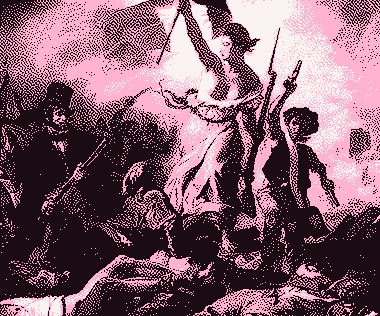
Delacroix's Liberty Leading the People, halftoned in pink and black

Bloop · wrong date · 37:4217891830July Revolution, per the audio and slide 14

Eugène Delacroix, Liberty Leading the People, 1830.

How it works

Three steps, and Bloop does the middle one

  1. Upload your lecture

    The full lecture recording and the slides as a PDF. Always get your professor's permission before recording.

  2. Bloop listens and writes

    A one-hour lecture usually takes 5–10 minutes. Without priority processing (Free and Standard), it can take up to half an hour at peak times. It all runs in the background, so you can close the tab and get on with your day.

  3. Review and download

    Listen to the flagged spots, tweak anything you want in the editor, and download your notes as a PDF or Word file, ready to study.

The notes are written by AI, so they're worth a review. That's why Bloop shows you what it's unsure about instead of hiding it.

Here's what your notes look like

A sample page. The highlights mark what Bloop wasn't sure about; in the app, each one links to its timestamp in the audio so you can hear it for yourself.

Biochemistry · Topic 7 · Lecture 14

The Krebs cycle

Tricarboxylic acid cycle: stoichiometry, thermodynamics, and control

1. Location and function

An amphibolic pathway in the mitochondrial matrix that oxidizes acetyl-CoA (from PDH, β-oxidation, and amino acid catabolism) to 2 CO₂ and transfers 8 e⁻ to 3 NAD⁺ and 1 FAD. Topological exception: succinate dehydrogenase sits in the inner membrane as complex II.

It doesn't consume O₂ directly, but it's strictly aerobic: without the respiratory chain, NADH and FADH₂ aren't reoxidized, available NAD⁺ drops, and the flux stops.

2. Reactions

  1. Citrate synthase: acetyl-CoA + OAA + H₂O → citrate + CoA-SH ΔG°′ −32 kJ/mol
  2. Aconitase (Fe-S center): citrate ⇌ isocitrate, via cis-aconitate
  3. Isocitrate DH: → α-ketoglutarate + CO₂ + NADH −8
  4. α-KG DH complex (TPP, lipoate, CoA, FAD, NAD⁺): → succinyl-CoA + CO₂ + NADH −33
  5. Succinyl-CoA synthetase: → succinate + GTP; substrate-level phosphorylation
  6. Succinate DH (FAD): → fumarate + FADH₂; competitively inhibited by malonate
  7. Fumarase: fumarate + H₂O → L-malate (stereospecific)
  8. Malate DH: → OAA + NADH +30; it runs forward because citrate synthase keeps OAA very low

3. Net yield

Per turn: 3 NADH + 1 FADH₂ + 1 GTP + 2 CO₂. With P/O ratios of 2.5 and 1.5, that works out to ≈ 10 ATP per acetyl-CoA (×2 per glucose).

4. Control

Three irreversible steps: citrate synthase (− citrate, succinyl-CoA, NADH, ATP), isocitrate DH (+ ADP, Ca²⁺; − ATP, NADH) and α-KG DH (+ Ca²⁺; − succinyl-CoA, NADH). The dominant signal is the NADH/NAD⁺ ratio.

  • Everything that was said, in order

    Not a summary. If your professor spends time on an example that later shows up on the exam, that example is in your notes.

  • Slides built in

    Images from the slides go right where they belong. Bloop never adds a diagram that wasn't in the lecture.

  • Unclear spots, flagged

    If an enzyme name or a number was hard to hear, Bloop doesn't guess. It flags the timestamp, and you can listen with one click.

  • Download once it's reviewed

    As a PDF or Word file, once every flagged point is resolved. That way you never study a mistake nobody caught.

Everything Bloopy does

The notes are just the start. From there you can fix, study, and organize your whole semester without leaving the app.

Fix it with Bloop

Highlight a passage and Bloop fixes it

Select any sentence in your notes and click “Ask Bloop.” Tell it what's off: a wrong fact, missing information, wording you'd change, or something that shouldn't be there. Bloop goes back to that lecture's audio and slides and suggests an edit. You see the before and after, and nothing changes until you accept it.

Bloop's help comes with Standard and Pro. Editing and deleting by hand work on every plan.

Review

Every unclear spot comes with its audio clip

When Bloop isn't sure about something, it flags it right there with the timestamp from the recording. Hit play, listen to those few seconds, and decide. If the same question comes up several times, it's grouped so you can resolve it once. If something was never actually covered, mark it “Not explained in the lecture” and you're done.

Study tools

  1. Topics that span lectures

    Your professor didn't finish the topic? Add the next recording to the same lecture, and Bloop rewrites the notes to cover both parts.

  2. Flashcards and quizzes

    Flashcards that come back when it's time to review them, and quizzes that mix several lectures. Every answer links to its moment in the lecture.

    The Free plan includes one practice quiz a month.

  3. Summaries with timestamps

    Outlines, exam review sheets, or key concepts. Your full notes stay untouched.

    Summaries come with Standard and Pro.

  4. Courses and search

    Each course keeps its lectures together. Ctrl K jumps to any lecture; Ctrl F searches your notes.

  5. Editor and downloads

    Formatting, your own images, and a table of contents. Download as PDF or Word once the review is done.

Stay organized

  1. Your schedule and deadlines

    Import your class schedule (.ics, Google Calendar, or your school's Excel file) and export it to Google, Apple, or Outlook.

    Calendar import and export come with Standard and Pro. Building it by hand works on every plan.

  2. Goals and timer

    Set time or content goals for each course. The timer logs every session to the right course.

  3. Study stats

    How much you study each day and how it breaks down by course.

  4. Weighted grades

    Every grade with its weight. Anything not graded yet doesn't count as a zero.

Bloop listening

Move your cursor and click Bloop.

Bloop lets you know where each lecture stands

It makes the same faces it does in the app, so you can see each lecture's status at a glance.

What it costs

You pay for recorded lecture time, not per lecture: a 20-minute lecture uses 20 minutes. Tax included.

Free

0 €no credit card

Try Bloopy with your own lectures

5 lecture hours your first month

After that, 1 hour a month to keep the habit going.

Sign up
  • Complete notes for your first lectures
  • One practice quiz a month
  • Search and edit your notes by hand
  • A calendar you fill in by hand
  • Download as PDF
  • No priority processing: a one-hour lecture usually takes 5–10 minutes, up to half an hour at peak times

Bloop's editing help, summaries, Word downloads, and calendar import/export come with Standard and Pro.

Standard

€9.99/month
Tax included

For your toughest courses

20 lecture hours a month

Renews monthly.

Get Standard monthly
  • Complete notes for every lecture, with unclear points flagged at their timestamp
  • Bloop fixes or rewrites any text you select
  • Unlimited flashcards and practice quizzes
  • Summaries of one or more lectures
  • Import your class schedule and export your calendar to Google, Apple, or Outlook
  • Download as PDF or Word
  • No priority processing, same as Free: a one-hour lecture usually takes 5–10 minutes, up to half an hour at peak times

Pro

€14.99/month
Tax included

For recording every lecture

50 lecture hours a month

Renews monthly.

Get Pro monthly

Everything in Standard, plus:

  • Enough hours for every course you're taking
  • Priority processing: no waiting when demand is high

Running low on hours during finals? Add 10 hours for €3.99 whenever you need them, right from your account.

Subscriptions renew automatically. We'll email you 15 days before each renewal. See our terms of purchase (in Spanish).

Questions about AI lecture notes

How do you turn a lecture into notes with AI?

Record the whole lecture, with your professor's permission. Then upload the audio and the slides PDF, and Bloop writes the notes in a few minutes. When it's done, you go through the points it flagged, tweak anything you want in the editor, and download them as PDF or Word.

How is Bloopy different from other AI note takers?

Bloopy doesn't summarize. It writes up everything that was covered, in order, and cross-checks it against the slides. When something is hard to hear, it doesn't make anything up; it flags the timestamp so you can listen for yourself.

Can I try it for free?

Yes. New accounts get 5 free lecture hours the first month, no credit card required, and then 1 hour a month.

How long does it take?

A one-hour lecture usually takes 5–10 minutes. On plans without priority processing (Free and Standard), it can take up to half an hour at peak times. You can close the tab while you wait.

Do I need to review the notes?

You should, because they're written by AI. That's why Bloop shows you what it's unsure about instead of hiding it, and won't let you download the document until every flagged point has been reviewed.

Your next lecture, start to finish.

Try it on a real lecture and see what your notes look like. Your first 5 lecture hours are on us.

Create a free account